
King in the Mountain: Dwarf Mining Incremental Guide
King in the Mountain is a calm incremental mining game by Milo Panta / Dweomer. The current v0.65 Demo is available through the official itch.io page as an HTML5 browser game and a Windows download. Steam currently lists the full PC release for October 30, 2026.
This guide covers the dwarf-mining game with Steam App ID 4767130. It is not connected to other games or works that share the same title.
Play the Current King in the Mountain Demo
The official itch.io page currently offers the v0.65 Demo in two forms: play in a browser with HTML5, or download the Windows build. The project is still marked In development, so controls, progression and available systems may change in later versions.
This site does not yet have creator-authorized code for an on-site player.
Platform note: the documented controls use mouse input with keyboard shortcuts. Mobile and touch support have not been verified.
How the Confirmed Core Loop Works
The official How to play instructions describe a short repeatable loop:
1. Dig & Guide
Use the Mine button in the right corner to start a mining run. Left-click areas you want the dwarves to prioritize; right-click to remove a priority area.
2. Spend Earned Gold
Open the upgrades menu and spend the gold you earn on the options currently available. The official instructions do not establish a universally best first purchase.
3. Recruit & Repeat
Recruit another dwarf when the current game state allows it, then begin another run. That closes the confirmed starting loop: mine, set priorities, earn gold, upgrade, recruit and repeat.
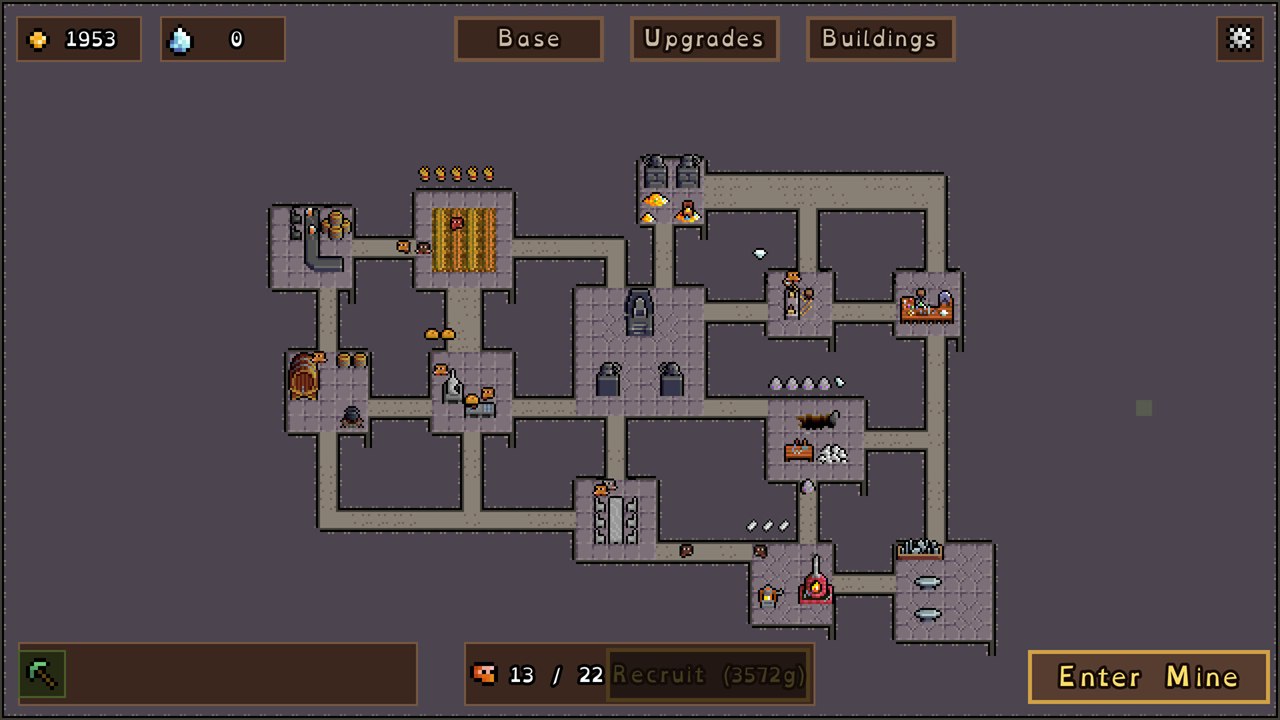
Start Here: Controls & First Expedition Guide
Getting started in v0.65 requires only a few verified controls. All basic interaction is mouse-driven, supplemented by keyboard shortcuts introduced in recent v0.60 & v0.65 patch updates:
| Input / Key | Action & Context | Verified Gameplay Effect |
|---|---|---|
| Left Mouse Button | Mark Priority / UI Click | Marks areas that the dwarves should prioritize. |
| Right Mouse Button | Unmark / Remove Priority | Removes a marked priority area. |
| Spacebar | Pause / Unpause | Pauses or resumes play (documented in the v0.60 changes included with v0.65). |
| Arrow Keys / WASD | Camera Navigation | Moves the view. |
| Click Building in Tunnel Mode | Quick Building Access | Clicking any building while in Tunnel Mode automatically opens its management panel and exits Tunnel Mode (v0.65+). |
First-Run Expedition Sequence
- Start a mining run: use the Mine button in the right corner.
- Set priorities: left-click wanted areas and right-click to remove a mistaken priority.
- Pause when needed: press Space to stop or resume play while you review the run.
- Spend earned gold: choose from the upgrades available in your current build.
- Recruit and repeat: add another dwarf when available, then begin another run.
For a complete controls reference, explanatory screenshots, and version-checked limits for the v0.65 Demo, read the King in the Mountain Beginner Guide →
Current Demo and Steam Release Status
The current playable Demo and the planned Steam release are different products. Here is the checked status as of September 22, 2026:
| Question | Checked answer |
|---|---|
| What can I play now? | The v0.65 Demo on the official itch.io page, in HTML5 or Windows form. |
| Is the Steam game released? | No. Steam currently says the game is not yet available. |
| What date does Steam list? | October 30, 2026, as a planned release date. It may still change. |
| Is the itch build the full Steam game? | No. Treat it as the current in-development Demo, not the completed Steam release. |
| What is the current version? | v0.65, released on September 17, 2026. |
Steam release information is time-sensitive. Check the official Steam store page(opens the Steam store in a new window) for the latest listing.